


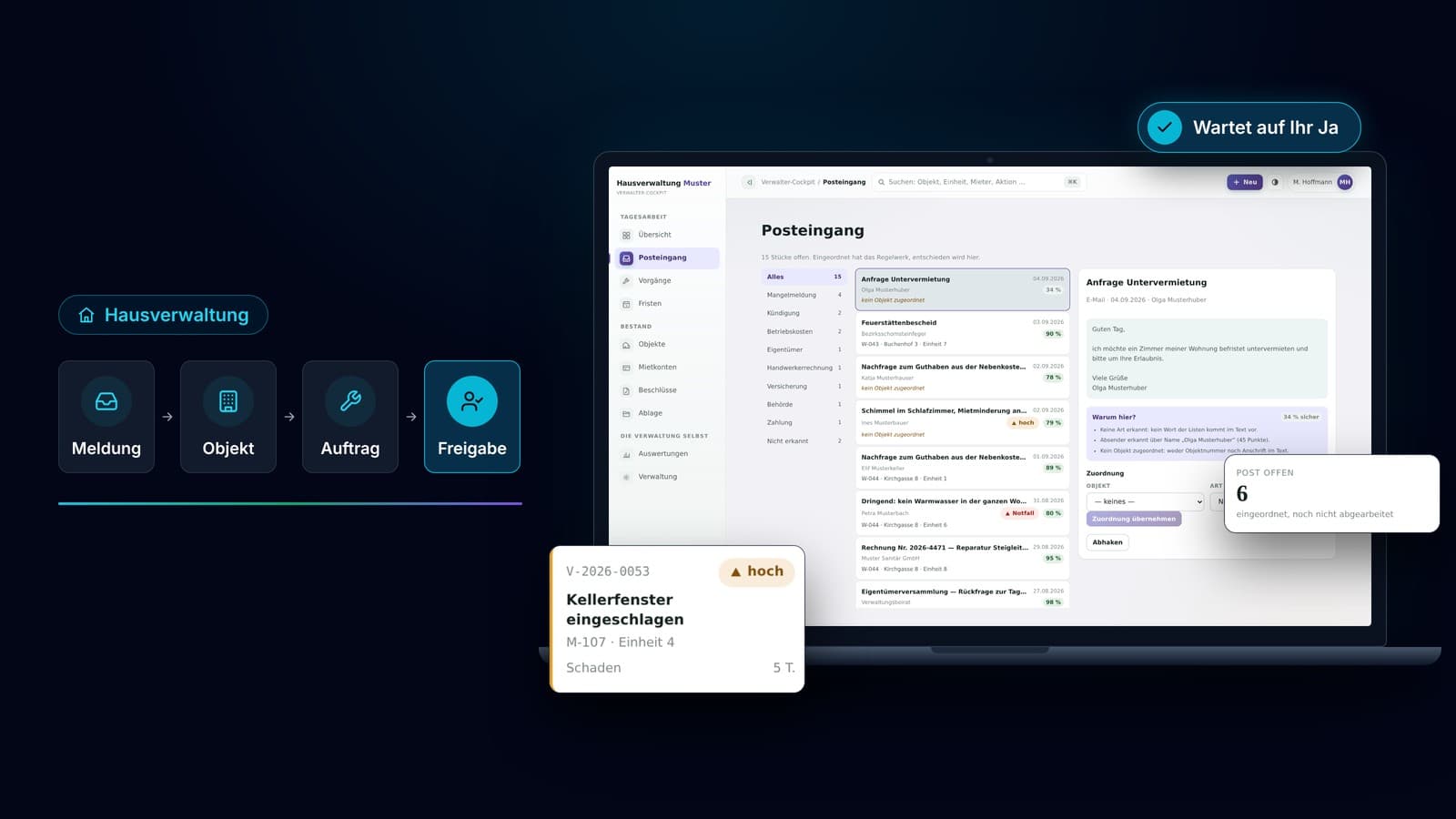
At a glance: the four workflows
- The mixed inbox, where every message first has to be matched to a building
- The damage report that has to become a contractor job
- The owners' meeting whose workload starts eight weeks ahead
- The documentation that has to be complete and gets written afterwards
That is what this article is about. Not the difficult cases, which need experience and judgement, but the simple ones, which cost more in total.
Why this workload shows up in no report
The expensive work appears on no invoice. A practice that sees a legal dispute through, or chairs a difficult meeting, knows fairly precisely what that cost. But nobody records how often the same damage report was opened before it was done. Nobody counts how many status enquiries arise because the first response never came.
Yet this is the item that grows as buildings are added. The difficult cases do not double when you manage twenty more units. Tenant requests do.
There is a second cost, and it is even harder to measure. In the end the practice looks slow, even though it has been waiting on the contractor for days. To the owner, the two look identical.
“The expensive work appears on no invoice. Nobody records how often the same damage report was opened before it was done.
Four workflows where it regularly gets stuck
They go by different names in every practice, but they work the same way everywhere.
The mixed inbox
Tenant requests, damage reports, questions about resolutions and queries from contractors all arrive through the same entrance. Every message first has to be matched to a building before it is even clear who handles it. A person does that matching, although the answer is often already in the message: sender, address, flat number.
The report that has to become a job
Between the damage report and the contractor job sit several small steps. Look up the building and the unit, find the right firm, write the job, inform the tenant, note the case in the building file. No step takes long, and none of them requires a decision. Hardly anyone knows how long they take together, because they never happen in one go.
The meeting that starts eight weeks ahead
Notice periods, agenda, documents, proxies, draft resolutions. The date has been fixed for a year, and the workload still arrives as a wave. Anyone tracking this by hand loses evenings searching for documents that already exist.
The documentation that has to be complete
Minutes, the register of resolutions, the building file. This is not optional, it is required, and it is unpleasant because it happens after the fact. Whatever was not recorded during the case has to be reconstructed afterwards.
You do not have to rebuild all four of these workflows. One is enough to notice the difference.
What the same workflow looks like once it is built
Let us stay with the damage report, because it occurs in every practice and everyone knows it.
The report arrives as before
It lands in the same inbox and is recognised as a damage report. It is matched to the building and the unit it came from.
The job is ready and waiting
The responsible firm is pulled from the building file. The job for the contractor is drafted and waiting, with the building data, the contact on site and the description from the report.
So is the message to the tenant
It has already been written. And the case is recorded against the building with a date, without anyone entering it afterwards.
Then it is your turn
You see the finished job, check it, change something if needed and approve. Only then does the job go to the firm and the message to the tenant.
What happens here is nothing spectacular. It is exactly the work a person did before, by carrying details from one place to the next.
The difference is the order
Before, the tenant waited until somebody had time. Now all that waits is a finished job, waiting for your yes.
What is explicitly not automated
The decision stays where it belongs. Who gets the job, what something may cost, which case is an exception: a person decides that, and nothing about it changes. Nothing leaves the building without your approval, not a job, not a message, not a payment.
This is not a disclaimer, it is the reason such workflows survive day-to-day use at all. A system that commissions contractors on its own gets switched off after the first bad call. A system that prepares the job in full and waits for a yes gets used.
What never makes the list
Resolutions, questions for the advisory board and everything that belongs in the owners' meeting are not things a machine prepares and a person waves through. That is about majorities, not about workflows.
Do the maths yourself, in hours
This is usually the point where a euro figure gets quoted. We think little of that, because every figure depends on assumptions that could just as well be chosen differently. Count in hours instead, which anyone can verify for themselves.
Take a single type of case, the damage report for example, and estimate two numbers. How many of them come in during a month? And how long does one take on average, counted across every time somebody touched it, not just the first time it was opened?
That is an example with its assumptions on the table, not a claim about your practice. Put in your own numbers and you have your calculation.
On the second number, it pays to be honest
A case you open four times does not simply take four times as long as one glance, because you have to think your way back into it every time.
When it is not worth it
Automation does not pay off everywhere, and that should be said beforehand rather than afterwards. Two things are what we look at first.
- Volume: a workflow that occurs only a few times a month rarely carries the cost of building it.
- Spread: if most of your cases are exceptions, you are building for the exception instead of the rule.
Where exactly the line falls depends on how long a single case really takes in your practice, and that cannot be guessed from the outside. So we quote no number here that is meant to hold for everyone.
The third point, which is mentioned less often
If a workflow is not settled inside the practice, automation does not make it better, it makes it wrong faster. Sometimes the first step is therefore not technology at all, but the decision about who handles which case. If that is what we conclude in your case, we say so in the check, before any quote.
What getting started looks like
One workflow, not the whole practice. We build the one that occurs most often in your office first and leave everything else untouched. You go on working in your management software, in your inbox and in your accounting. We replace none of it, we sit in front of it and connect what a person has been connecting so far. Nobody has to learn a new system, and the application runs in the browser and on a phone.
The first workflow is running four to six weeks after your go-ahead, at a fixed price you know in advance. After that you decide whether a second one follows.
And if you want to stop at some point, you stop. What we build sits on your own server, and the workflow carries on as before, just by hand again.
Frequently Asked Questions
Why count in hours rather than in euros?
Because every euro figure depends on assumptions that could just as well be chosen differently. Hours you can verify yourself: how many cases per month, how many minutes per case, counted across every time somebody touched it.
Do we have to change our management software?
No. You go on working in your management software, in your inbox and in your accounting. We replace none of it, we sit in front of it and connect what a person has been connecting so far.
Does the system commission a contractor by itself?
No. It prepares the job and puts it in front of you, finished. You check it, change something if needed and approve. Only then does the job go to the firm and the message to the tenant. Nothing leaves the building without your approval, not a job, not a message, not a payment.
How long does the first workflow take?
Four to six weeks after your go-ahead, at a fixed price you know in advance. After that you decide whether a second one follows.
When is this not worth it for us?
If a workflow occurs only a few times a month, it rarely carries the cost of building it. And if most of your cases are exceptions, you are building for the exception instead of the rule. There is a third case: if a workflow is not settled inside the practice, automation does not make it better, it makes it wrong faster. We say so in the check, before any quote.
What happens if we want to stop?
Then you stop. What we build sits on your own server, and the workflow carries on as before, just by hand again.